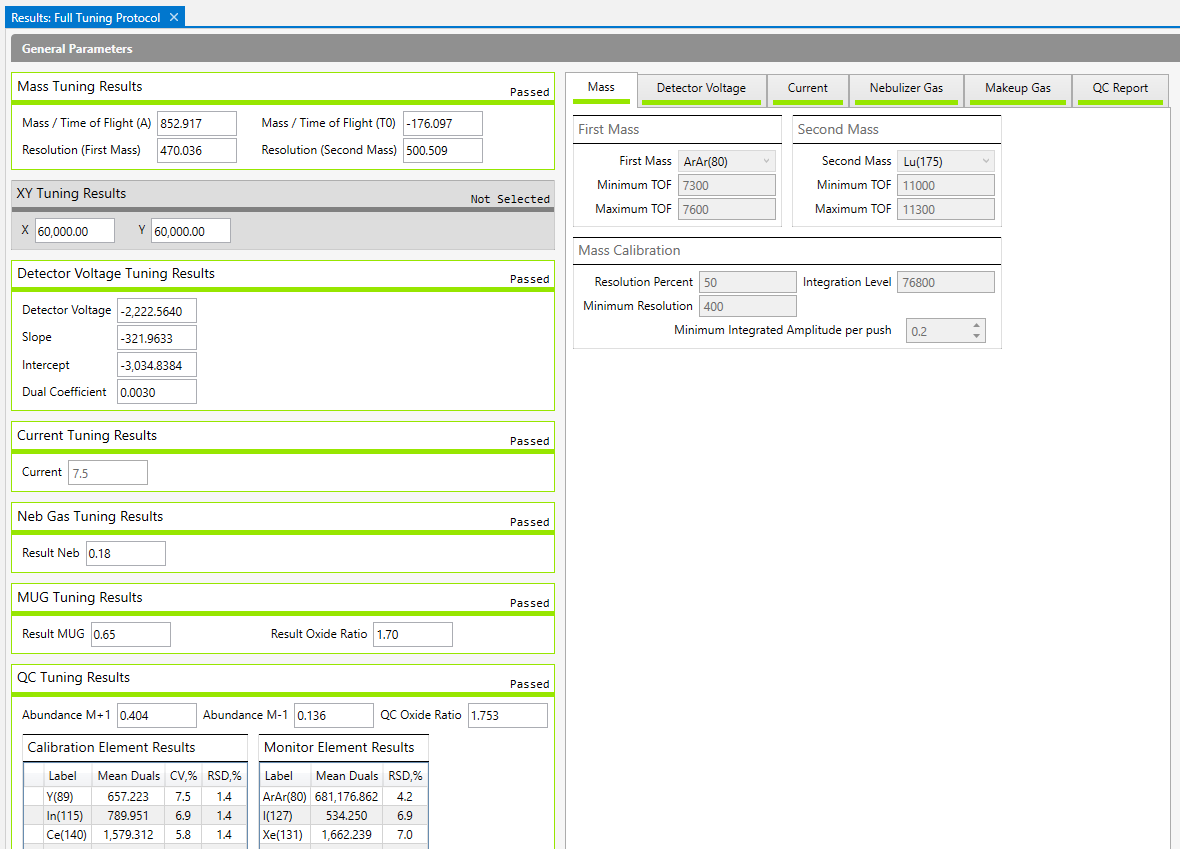
After tuning is complete, the Results tab is displayed. This tab includes the result of each subcalibration.
Passing results are green.

Failing results are red. For more information about why a subcalibration failed, see Troubleshooting.

Subcalibrations that were not run are gray.

The parameters used for each subcalibration are displayed on tabs to the right, labeled with the name of the subcalibration. The QC Report tab displays the passing criteria.
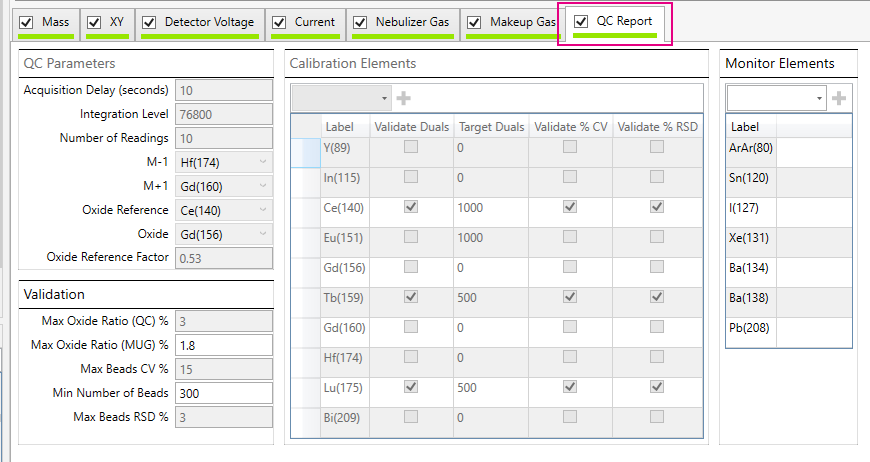
Parameter |
Value |
Maximum Oxide Ratio (QC) % |
3 |
Maximum Oxide Ratio (MUG) % |
1.8 |
Maximum Beads CV % |
15 |
Min Number of Beads |
300 |
Max Beads RSD % |
3 |
NOTE To correct for mass response, an oxide reference factor is applied when calculating the oxide ratio. The oxide reference factor used is shown on the QC Report tab of the QC Result.
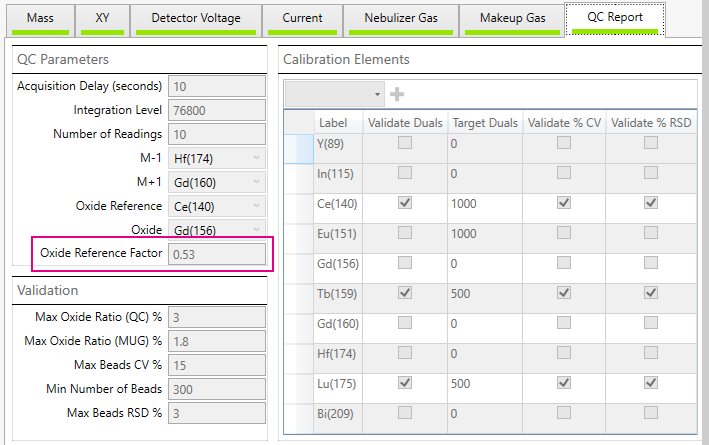
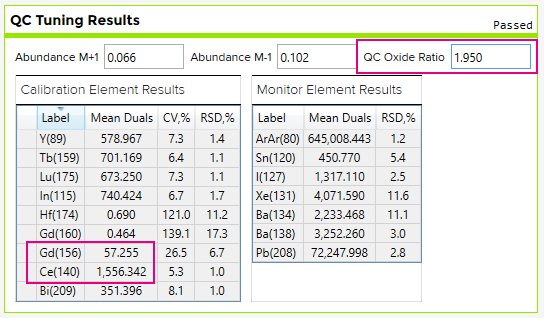
For example, (57.255 / 1556.342) x 0.53 = 1.950 where:
• 57.255 is the Mean Duals for 156Gd
• 1556.345 is the mean duals for 140Ce, and
• 0.53 is the oxide reference factor
To export cumulative tuning history, on Tuning Manager, scroll down to Tuning Results, and click Export. The results of all tuning results saved in Tuning History are exported to a single CSV file for improved tracking of system performance.